
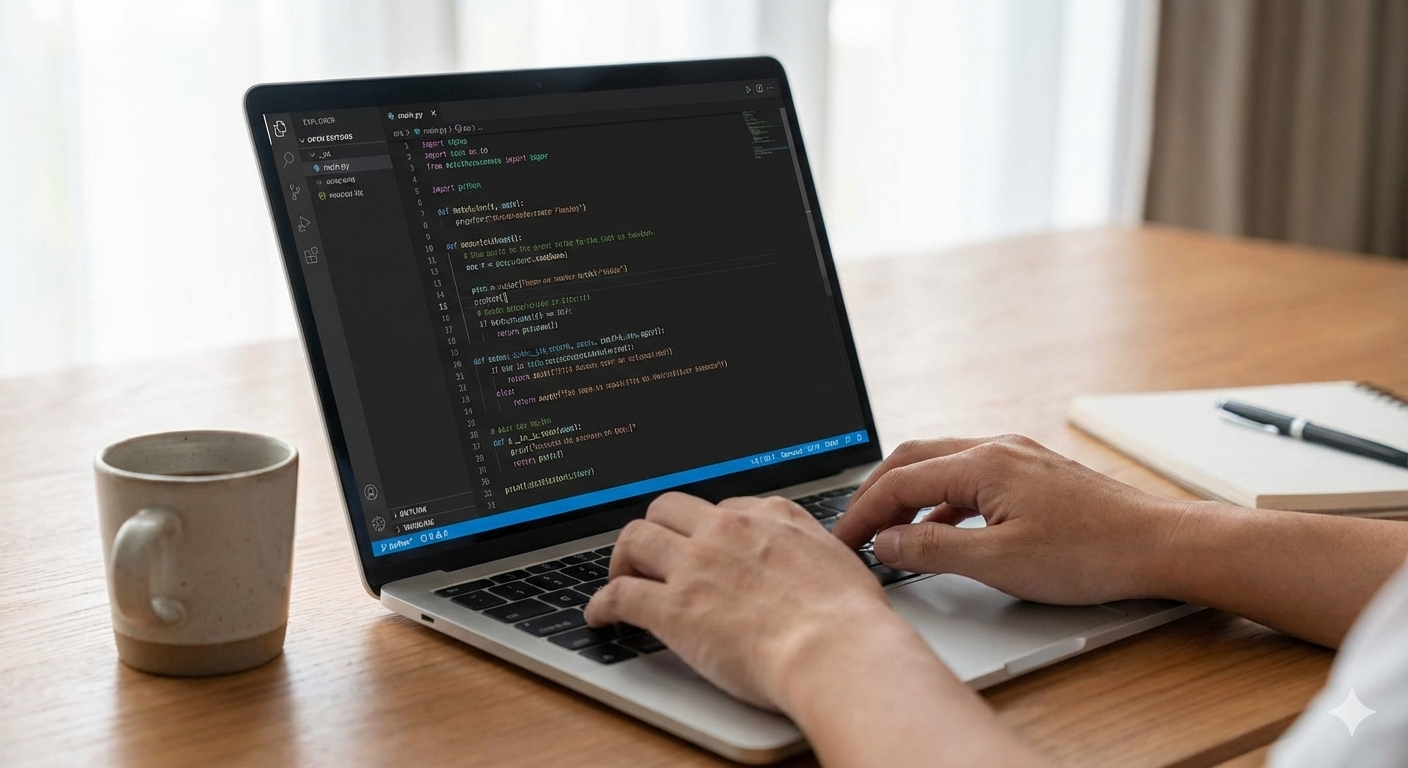
Essential Features for Coding Laptops
Programmers need laptops that handle complex tasks efficiently. The best laptops for coding must have strong processors, ample RAM, fast storage, and excellent keyboards. Screen quality and battery life also matter for extended coding sessions.

Top Laptops for Programmers in 2026
Apple MacBook Pro 16-inch M4 Pro/Max
The MacBook Pro remains a top choice for developers, especially those working in iOS, web, or creative coding environments.
Key Specifications:
- Processor: Apple M4 Pro or M4 Max chip
- RAM: 18GB to 128GB unified memory
- Storage: 512GB to 8TB SSD
- Display: 16.2-inch Liquid Retina XDR, 3456×2234 resolution
- Battery: Up to 22 hours
- Ports: MagSafe 3, Thunderbolt 4, HDMI, SDXC slot
- Keyboard: Magic Keyboard with comfortable key travel
Best For: iOS/macOS developers, full-stack developers, machine learning programmers
Price Range: $2,499 – $6,499
Official Link: Apple MacBook Pro
MacBook Pro’s powerful M4 chips and excellent battery life make them ideal for intensive development work anywhere.
Dell XPS 15 Developer Edition
Key Specifications:
- Processor: Intel Core Ultra 9 or AMD Ryzen 9
- RAM: 16GB to 64GB DDR5
- Storage: 512GB to 4TB NVMe SSD
- Display: 15.6-inch OLED, 3840×2400 resolution
- Battery: Up to 14 hours
- Ports: Thunderbolt 4, USB-C, HDMI 2.1, microSD reader
- Keyboard: Full-sized with excellent tactile feedback
Best For: Linux developers, web developers, open-source contributors
Price Range: $1,499 – $3,299
Official Link: Dell XPS 15
Lenovo ThinkPad X1 Carbon Gen 12
The legendary ThinkPad keyboard makes this laptop a favorite among programmers who type for hours daily.
Key Specifications:
- Processor: Intel Core Ultra 7 vPro
- RAM: 16GB to 64GB LPDDR5x
- Storage: 512GB to 2TB PCIe Gen4 SSD
- Display: 14-inch 2.8K OLED or 4K IPS options
- Battery: Up to 18 hours
- Ports: Thunderbolt 4, USB-A, HDMI 2.1, headphone jack
- Keyboard: Classic ThinkPad keyboard with TrackPoint
Best For: Enterprise developers, data scientists, remote programmers
Price Range: $1,649 – $3,899
Official Link: Lenovo ThinkPad X1 Carbon
Framework Laptop 16
This modular laptop lets programmers upgrade components easily. You can replace the CPU, RAM, storage, and ports as needs change.
Key Specifications:
- Processor: AMD Ryzen 7 or 9 (user-upgradeable)
- RAM: 16GB to 64GB DDR5 (user-upgradeable)
- Storage: 512GB to 4TB SSD (user-upgradeable)
- Display: 16-inch 2560×1600 IPS, 165Hz refresh
- Battery: Up to 10 hours
- Ports: Modular expansion card system
- Keyboard: Hot-swappable keyboard modules
Best For: Tinkerers, hardware enthusiasts, developers who value sustainability
Price Range: $1,399 – $2,699
Official Link: Framework Laptop

Framework Laptop’s modular design allows programmers to upgrade components instead of replacing the entire machine.
ASUS ROG Zephyrus G14
Gaming laptops make excellent coding machines. This powerful laptop handles game development, machine learning, and virtual machines easily.
Key Specifications:
- Processor: AMD Ryzen 9 8945HS
- GPU: NVIDIA GeForce RTX 4070
- RAM: 16GB to 32GB DDR5
- Storage: 1TB to 2TB PCIe 4.0 SSD
- Display: 14-inch 3K OLED, 120Hz refresh rate
- Battery: Up to 10 hours
- Ports: USB4, HDMI 2.1, USB-C with PD
- Keyboard: RGB backlit with good travel
Best For: Game developers, AI/ML programmers, VR/AR developers
Price Range: $1,599 – $2,799
Official Link: ASUS ROG Zephyrus G14
Microsoft Surface Laptop Studio 2
This unique convertible laptop serves multiple roles. Programmers use it for coding, design work, and presentations.
Key Specifications:
- Processor: Intel Core i7-13700H
- GPU: NVIDIA GeForce RTX 4060
- RAM: 16GB to 64GB LPDDR5x
- Storage: 512GB to 2TB SSD
- Display: 14.4-inch PixelSense Flow, 2400×1600, 120Hz
- Battery: Up to 18 hours
- Ports: Thunderbolt 4, USB-A, Surface Connect
- Keyboard: Precision Haptic touchpad with excellent feedback
Best For: Windows developers, .NET programmers, creative coders
Price Range: $1,999 – $3,699
Official Link: Surface Laptop Studio 2
Key Considerations for Coding Laptops
Processor Performance
Modern programming tasks demand powerful CPUs. Compiling code, running virtual machines, and testing applications strain processors. Choose laptops with at least 8 cores. Apple’s M-series chips offer excellent performance per watt. Intel’s Ultra series and AMD’s Ryzen 7000/8000 series provide strong Windows/Linux performance.
RAM Requirements
Memory needs depend on your development work. Web developers need 16GB minimum. Mobile app developers require 16GB-32GB. Game developers and data scientists need 32GB-64GB. Choose upgradeable RAM when possible. Soldered RAM limits future flexibility.
Storage Speed and Capacity
NVMe SSDs provide fast compile times and quick application loads. 512GB works for basic development. 1TB suits most programmers. 2TB+ benefits those working with large datasets or multiple virtual machines. Some laptops offer two SSD slots for expansion.
Display Quality
Programmers stare at screens for hours. Choose displays with good brightness (300+ nits), high resolution (at least 1920×1080), and accurate colors. OLED screens offer excellent contrast but may risk burn-in with static IDE elements. IPS panels provide reliable performance. Screen size depends on portability needs. 14-inch laptops balance portability and workspace. 16-inch screens offer more real estate without external monitors.
Keyboard Comfort
Coding involves constant typing. Key travel matters. 1.5mm travel works well. Backlit keyboards help in low-light conditions. Tactile feedback improves typing accuracy. Test keyboards before purchasing when possible.
Battery Life
Mobile developers need all-day battery life. Compiling code drains batteries quickly. Look for laptops with 10+ hours of real-world usage. Apple Silicon MacBooks lead in this category. Windows laptops with efficient processors and large batteries also perform well.
Operating System Choice
Your development platform dictates OS choice. macOS suits iOS and cross-platform developers. Windows works for .NET and game developers. Linux serves web, cloud, and open-source developers. Some laptops support dual-booting or virtualization for multiple OS environments.
Port Selection
Modern laptops often lack traditional ports. Programmers need adapters for external monitors, Ethernet, and peripherals. Thunderbolt 4 ports support high-speed data transfer and external GPU connections. HDMI ports simplify monitor connections. SD card readers help embedded developers.
Specialized Development Needs
Web Development Laptops
Web developers need capable but portable machines. The best laptops for coding websites balance performance and battery life. Choose laptops with good displays for design work. 16GB RAM handles multiple browsers and development tools. The Dell XPS 13 Plus or MacBook Air M3 work well for web development.
Mobile App Development
iOS developers must use MacBooks. Android developers can use Windows, macOS, or Linux. Both need 16GB minimum RAM. Fast storage speeds up emulator performance. The MacBook Pro 14-inch M4 provides excellent iOS development performance. The Lenovo Yoga 9i works well for Android development.
Game Development
Game programmers need powerful GPUs. NVIDIA RTX 4060 or higher cards accelerate game engine performance. 32GB RAM supports complex scenes and assets. Fast processors compile large codebases quickly. The ASUS ROG Zephyrus G16 or Razer Blade 16 serve game developers well.
Data Science and Machine Learning
Data scientists need powerful CPUs and ample RAM. 32GB RAM minimum handles large datasets. NVIDIA GPUs accelerate machine learning training. The MacBook Pro M4 Max with 64GB RAM works well. The Lenovo ThinkPad P1 with NVIDIA RTX GPU also performs strongly.
Embedded Systems Programming
Embedded developers need traditional ports. Serial ports, Ethernet, and multiple USB ports connect to development boards. The Framework Laptop with expansion cards offers flexibility. Some Dell Precision or HP ZBook workstations include traditional ports.
Budget Options for Student Programmers
Apple MacBook Air M3
Students and beginners find the MacBook Air M3 sufficient for most programming tasks. It handles web development, Python scripting, and mobile app development effectively.
- Price: $1,099 – $1,499
- RAM: 8GB to 24GB
- Storage: 256GB to 2TB
- Best For: Students, beginners, web developers
Acer Swift X 14
This affordable laptop offers strong performance for programming. The NVIDIA GPU helps with light machine learning tasks.
- Price: $899 – $1,299
- RAM: 16GB LPDDR5
- Storage: 512GB to 1TB SSD
- Best For: Budget-conscious programmers, students
Lenovo IdeaPad Slim 5
This value laptop provides decent performance for basic programming tasks. It handles web development and learning programming languages well.
- Price: $699 – $999
- RAM: 8GB to 16GB
- Storage: 256GB to 1TB SSD
- Best For: Beginners, coding bootcamp students

Accessories for Programmers
External Monitors
Programmers benefit from multiple screens. 27-inch 4K monitors offer ample workspace. Ultrawide monitors reduce context switching. Portable monitors help mobile developers.
Mechanical Keyboards
External mechanical keyboards improve typing comfort. Brown or clear switches provide tactile feedback without excessive noise. Tenkeyless keyboards save desk space.
Ergonomic Mice
Vertical mice reduce wrist strain during long coding sessions. Programmable buttons streamline development workflows.
Laptop Stands
Adjustable stands improve screen positioning for better posture. Cooling stands prevent thermal throttling during intensive tasks.
Docking Stations
Single-cable docking stations simplify desk setups. They provide multiple monitor outputs, Ethernet, and peripheral connections.
Future-Proofing Your Laptop Purchase
Technology evolves rapidly. Choose laptops with upgradeable components when possible. Framework Laptop offers the most upgrade path. Some business laptops like ThinkPads allow RAM and storage upgrades. MacBooks feature soldered components but offer long software support.
Consider your expected workload growth. Students might need basic machines initially. Professional developers should invest in capable systems that last 3-4 years. Cloud development environments reduce local hardware requirements.
Making Your Decision
Test keyboards and displays in stores when possible. Read professional reviews focusing on development workloads. Check manufacturer websites for current configurations and prices. Consider refurbished models from reputable sellers for budget options.
Your development focus determines the best laptops for coding. Web developers prioritize portability and battery life. Game developers need powerful GPUs. Data scientists require maximum RAM. Choose the machine matching your specific programming needs.
The best laptops for coding balance performance, comfort, and reliability. They become primary tools for creating software solutions. Invest wisely in a machine supporting your development journey.



Thats Was Good and too easy thanks for such a Great article
Thats Was Good and too easy thanks for such a Great article.
This help me a lot to Find best Device for my work.
I will give 4.5 ⭐ ⭐⭐⭐⭐ to this artical.