The Core Difference at a Glance
Think of your business as a complex machine. ERP (Enterprise Resource Planning) is the operational engine that manages internal processes and resources, while CRM (Customer Relationship Management) is the customer-facing interface that drives sales and relationships.
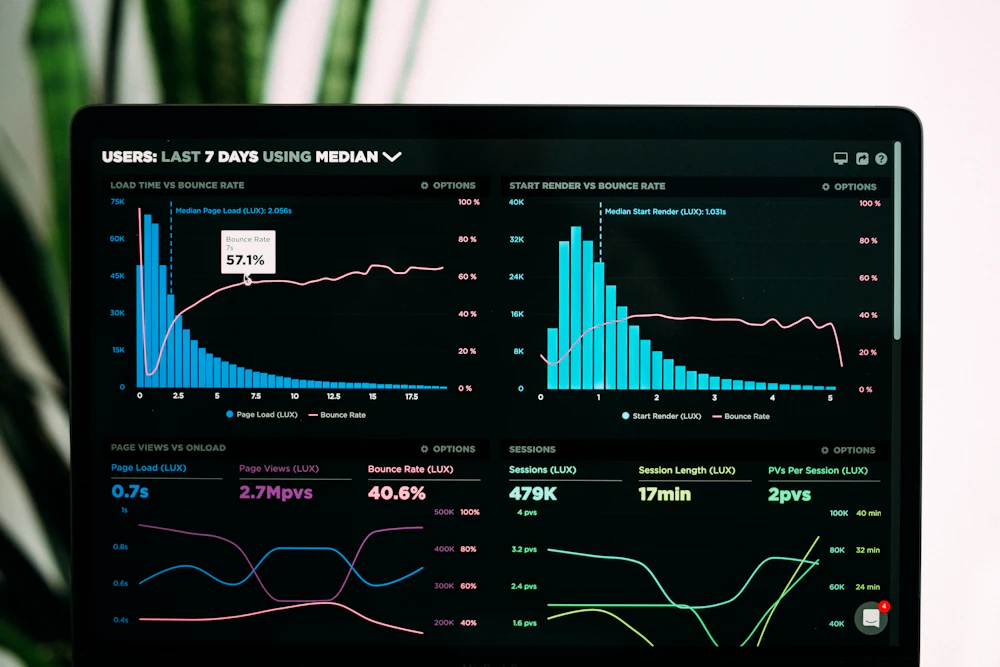
ERP focuses on internal efficiency, CRM on external relationships
What is CRM? The Customer Specialist
CRM software is designed specifically to manage customer interactions and relationships throughout the entire customer lifecycle. It’s your company’s memory for everything related to customers.
CRM’s Primary Focus:
- Tracking customer interactions (calls, emails, meetings)
- Managing sales pipelines and opportunities
- Storing customer data (contact info, preferences, history)
- Marketing automation and campaign management
- Customer service and support ticketing
- Analyzing customer behavior and trends

CRM systems help sales and marketing teams manage customer relationships effectively
Popular CRM Examples: Salesforce, HubSpot CRM, Zoho CRM, Microsoft Dynamics 365 for Sales
What is ERP? The Business Backbone
ERP software integrates all core business processes into a single system, serving as the central nervous system for your entire organization.
ERP’s Primary Focus:
- Financial management and accounting
- Inventory and supply chain management
- Human resources and payroll
- Manufacturing and production
- Procurement and purchasing
- Business intelligence across all departments

ERP systems manage complex operations like manufacturing, inventory, and supply chains
Popular ERP Examples: SAP, Oracle ERP Cloud, Microsoft Dynamics 365 Business Central, NetSuite
Head-to-Head Comparison: Key Differences
| Aspect | CRM | ERP |
|---|---|---|
| Primary Focus | Customer-facing activities | Internal business operations |
| Main Users | Sales, Marketing, Customer Service | Finance, Operations, HR, Supply Chain |
| Key Function | Manage customer relationships | Integrate business processes |
| Data Type | Customer data, interactions, sales | Financial data, inventory, HR, operations |
| Goal | Increase sales and customer satisfaction | Improve efficiency and reduce costs |
| Scope | Front-office operations | Back-office and front-office integration |
| Time Horizon | Short to medium term (sales cycles) | Long term (business planning) |
Real-World Examples: How They Work Differently
Scenario 1: Processing a Customer Order
CRM’s Role:
- Tracks the initial customer inquiry
- Manages the sales process and negotiation
- Stores customer preferences and history
- Schedules follow-up communications
ERP’s Role:
- Checks inventory availability
- Processes the financial transaction
- Updates accounting records
- Manages shipping and logistics
- Adjusts inventory levels automatically

CRM captures the sale, ERP fulfills the order
Scenario 2: Managing a Marketing Campaign
CRM’s Role:
- Segments customer lists
- Tracks campaign responses
- Manages lead scoring and nurturing
- Analyzes customer engagement metrics
ERP’s Role:
- Tracks campaign budget and expenses
- Manages inventory for promotional items
- Processes orders generated from campaign
- Updates financial projections based on results
Integration: When CRM and ERP Work Together
Modern businesses often use both systems integrated together. This creates a powerful synergy:
- Customer Data Sync: CRM sales data flows into ERP for order processing
- Inventory Visibility: ERP inventory levels inform CRM sales teams
- Financial Integration: CRM opportunities feed into ERP revenue forecasting
- Unified Customer View: Combining CRM relationship data with ERP transaction history

Integrated CRM and ERP systems provide a complete view of customer interactions and business operations
Which Does Your Business Need?
Start with CRM if:
- Your primary challenge is managing customer relationships
- You need better sales pipeline visibility
- Marketing automation is a priority
- Customer retention needs improvement
- You’re a sales-driven organization
Start with ERP if:
- You’re struggling with inventory management
- Financial processes are manual and error-prone
- Different departments use disconnected systems
- Supply chain complexity is increasing
- You need better operational efficiency
Consider Both if:
- You’re experiencing rapid growth
- Data silos between sales and operations are problematic
- You need end-to-end business visibility
- Customer experience and operational efficiency are equally important
Modern Solutions: All-in-One Platforms
Many providers now offer unified platforms that combine CRM and ERP capabilities:
- Microsoft Dynamics 365: Offers both CRM and ERP modules
- Oracle NetSuite: Includes CRM within its ERP suite
- SAP Business One: Integrates CRM with ERP functions
- Zoho One: Provides comprehensive suite including both
Implementation Considerations
CRM Implementation:
- Faster deployment (often weeks)
- Lower initial cost
- Easier user adoption (focused on sales teams)
- Quick ROI through improved sales performance
ERP Implementation:
- Longer deployment (months to years for large enterprises)
- Higher initial investment
- Broader organizational impact
- ROI through operational efficiencies and cost reduction

Choosing between CRM and ERP depends on your specific business needs and challenges
Cost Comparison
| Cost Factor | CRM | ERP |
|---|---|---|
| Entry Price | $12-$150/user/month | $50-$300+/user/month |
| Implementation | $1,000-$25,000 | $10,000-$Millions |
| Customization | Moderate | Extensive |
| Training | Department-specific | Organization-wide |
The Future Convergence
The lines between CRM and ERP are blurring as:
- AI and machine learning enhance both systems
- Cloud technology makes integration easier
- Unified platforms become more common
- Mobile accessibility expands functionality
Decision Framework: Questions to Ask
- What’s your biggest pain point? Customer acquisition/retention (CRM) or operational efficiency (ERP)?
- What’s your budget? CRM typically has lower entry costs
- How integrated do systems need to be? Will you need both eventually?
- What’s your growth plan? Consider scalability needs
- What do your teams need most? Talk to sales (CRM needs) and operations (ERP needs)
Conclusion: Complementary, Not Competitive
CRM and ERP are not competitors—they’re complementary systems that serve different but connected purposes. CRM looks outward to customers and markets, while ERP looks inward to operations and efficiency.
For most growing businesses, the journey often starts with CRM to drive revenue growth, then adds ERP to manage the resulting operational complexity. The most successful organizations ultimately integrate both systems to create a complete view of their business—from the first customer interaction to the final delivery and beyond.
Remember: Whether you choose CRM, ERP, or both, the goal is the same: to use technology to serve your customers better and run your business more effectively. The right choice depends on where you are today and where you want to be tomorrow.