
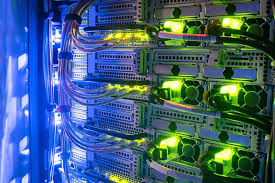
Discover what networking is, its core purpose, and the key types (LAN, WAN, MAN, PAN, SAN) that power our digital world. Learn how networks connect devices and enable communication.
In our hyper-connected era, networking forms the invisible foundation of daily life. Every email sent, video streamed, or file shared relies on this critical technology. But what exactly is networking? At its core, networking is the practice of connecting computing devices together to share resources and information. These devices include computers, servers, smartphones, and printers. The primary goal is seamless data exchange and resource sharing.

Networks range from simple home setups to vast global infrastructures. They enable businesses to operate, power the internet, and keep individuals connected. Understanding networking and its various types is essential for navigating today’s digital landscape.
The Core Purpose of Networking
Why do we build networks? Their fundamental purposes are clear.
Resource Sharing is a primary driver. Networks allow multiple users to access a single resource. This could be a centralized printer, a file server, or software applications. This reduces costs and improves efficiency.
Communication becomes fast and reliable. Networks enable email, instant messaging, video conferencing, and VoIP calls. Distance is no longer a barrier to collaboration.
Data Management is centralized. Instead of files living on individual computers, they can be stored on secure, shared servers. This ensures everyone accesses the same updated information. It also simplifies backup and security protocols.
Alt text:

The Five Main Types of Computer Networking
Networks are classified by their geographic scale and purpose. Each type serves distinct needs.
1. Local Area Network (LAN)
A Local Area Network (LAN) covers a small, confined area. This could be a home, office, school, or single building. LANs are private networks offering high-speed connectivity. They typically use Ethernet cables or Wi-Fi.
Devices on a LAN can share resources like files and printers directly. A classic example is a home network where laptops, phones, and a smart TV connect to one router. In offices, LANs connect dozens of computers to centralized servers and shared hardware.
The key advantages of LANs include high data transfer rates and lower latency. Security is also easier to manage within a confined space.

2. Wide Area Network (WAN)
A Wide Area Network (WAN) spans a large geographic area. It can connect cities, countries, or even continents. The most prominent WAN example is the internet. WANs are often built using leased telecommunication circuits.
Businesses with multiple branch offices use WANs. These networks connect the separate LANs at each location into one cohesive system. This allows a company’s New York and London offices to function as one unit.
WANs are crucial for global commerce and communication. However, they generally offer slower speeds than LANs due to the vast distances involved.

3. Metropolitan Area Networking (MAN)
A Metropolitan Area Network (MAN) operates in size between a LAN and a WAN. It covers an entire city or a large campus. A MAN is essentially a network of connected LANs within a metropolitan area.
City-wide Wi-Fi projects often utilize MAN technology. Large university campuses with multiple buildings also use MANs. They provide high-capacity backbones for internet access across the area.
Local cable TV providers sometimes use MANs to manage their broadband services across a city.
4. Personal Area Network (PAN)
A Personal Area Network (PAN) is the most intimate network type. It revolves around an individual person’s workspace. The range is typically within 10 meters.
Bluetooth is the most common PAN technology. It connects a smartphone to wireless earbuds, a keyboard, or a smartwatch. A USB connection between a computer and a peripheral can also be considered a wired PAN.
These networks are for personal convenience. They enable seamless data sync and device interaction on a very small scale.
5. Storage Area Network (SAN)
A Storage Area Network (SAN) is a specialized, high-speed network. It provides block-level network access to consolidated data storage. SANs are entirely dedicated to storage tasks.
Imagine a dedicated network highway just for data traffic between servers and storage arrays. This separates storage traffic from regular LAN/WAN traffic. It dramatically improves performance and availability.
Large enterprises, data centers, and cloud service providers rely on SANs. They are essential for handling massive databases and virtualization. Organizations like IBM and Dell EMC are leaders in SAN technology. You can learn more about enterprise storage solutions on the IBM Storage page.
How Networking Connect: Wired vs. Wireless
Networks use two primary mediums to connect devices: wired and wireless.
Wired networks use physical cables. The most common is Ethernet (CAT5, CAT6). These connections offer superior speed, stability, and security. They are less susceptible to interference. Data centers and office backbone connections rely heavily on wired infrastructure.
Wireless networks use radio waves. Wi-Fi is the universal standard for local wireless connectivity. It provides mobility and convenience. Installing a wireless network is easier and less messy than running cables. However, Wi-Fi can be less stable and secure than wired connections. It is more vulnerable to interference and unauthorized access if not properly secured.
Most modern networks are hybrids. They use a wired backbone with wireless access points for end-user devices.
The Importance of Networking Security
As networking grows, so do security threats. Protecting network integrity is non-negotiable. Key security measures include:
- Firewalls: Act as gatekeepers between your network and the internet.
- Encryption: Scrambles data so only authorized parties can read it.
- Strong Authentication: Uses passwords, biometrics, or security keys.
- Regular Updates: Patches vulnerabilities in network device software.
The National Institute of Standards and Technology (NIST) provides vital cybersecurity frameworks that many organizations adopt. You can explore their resources at the NIST Cybersecurity page.
The Future of Networking
Networking continues to evolve. 5G technology promises faster wireless speeds and lower latency. This will enable advancements in IoT and smart cities. Software-Defined Networking (SDN) allows more flexible, programmable network management.
The core goal remains unchanged. Networks will keep connecting people, data, and machines more efficiently and powerfully.
Conclusion
Networking is the silent engine of the digital age. From the PAN connecting your headphones to the global WAN that is the internet, networks are indispensable. Understanding the different types—LAN, WAN, MAN, PAN, and SAN—helps clarify how our world stays linked. These systems enable the sharing, communication, and innovation that define modern life. As technology advances, networking will only become more integrated and essential to our daily existence.
FAQs
A MAN (Metropolitan Area Network) covers a city or large campus. It is often used by municipalities for public Wi-Fi, by large universities with multiple buildings, or by Internet Service Providers (ISPs) to connect customers in a metropolitan region.
A wireless router. This single device typically combines the functions of a router (to direct traffic), a network switch (to connect wired devices), and a wireless access point (to create Wi-Fi).
Networks are pathways for data. Without proper security (firewalls, encryption), sensitive information like personal details, financial data, and business secrets can be intercepted, stolen, or corrupted by malicious actors.
For pure performance, stability, and security, wired networks (like Ethernet) are generally superior. Wireless networks (Wi-Fi) offer greater convenience and mobility. Most modern setups use a hybrid of both.
A Local Area Network (LAN), typically using a wireless (Wi-Fi) router, is perfect for a home. It connects your personal devices like laptops, phones, and smart home gadgets.